Understanding Risk Levels
What LOW, MEDIUM, and HIGH mean, how the entity detection pipeline scores each finding, and when you should manually review before exporting.
How risk is assigned
Every entity RedactorBuddy detects gets a risk score based on two factors: the type of personal information and the confidence of the detection. High-sensitivity types (account numbers, SSNs, full names paired with other PII) start at HIGH regardless of confidence. Lower-sensitivity types (a standalone city name, a common first name) may be scored as MEDIUM or LOW.
The three levels map to a default action:
Redacted automatically
High-risk entities are redacted in the output by default and require your explicit approval before the export gate opens. You can reject a HIGH finding (i.e., mark it as a false positive) to clear it, but you cannot skip reviewing it.
- Full names paired with account numbers or addresses
- Credit/debit card numbers, bank account numbers
- Social Security Numbers, government IDs
- Passwords, API keys, auth tokens found in documents
- Date-of-birth combined with name or address
Flagged for review
Medium-risk entities are highlighted in the review panel but are not redacted automatically. You must either approve (redact) or reject (keep) each one before exporting. These are the most common source of false positives.
- Standalone full names (no accompanying PII context)
- Email addresses and phone numbers
- Partial addresses (street only, city only)
- Job titles when combined with a person's name
- Dates (transaction dates, birth years in isolation)
Informational
Low-risk findings are shown in the sidebar but do not block export. These typically have low detection confidence or are entity types unlikely to constitute PII in most financial contexts. Review them if your document has strict compliance requirements.
- Common first names without surnames
- City or country names in isolation
- Generic organization names (e.g., "Bank of America" as institution, not as a personal data point)
- Currency symbols and amounts flagged by the NLP pass
The detection pipeline
RedactorBuddy runs up to three detection passes on each document, each catching different types of entities. The union of all findings is presented in the review panel.
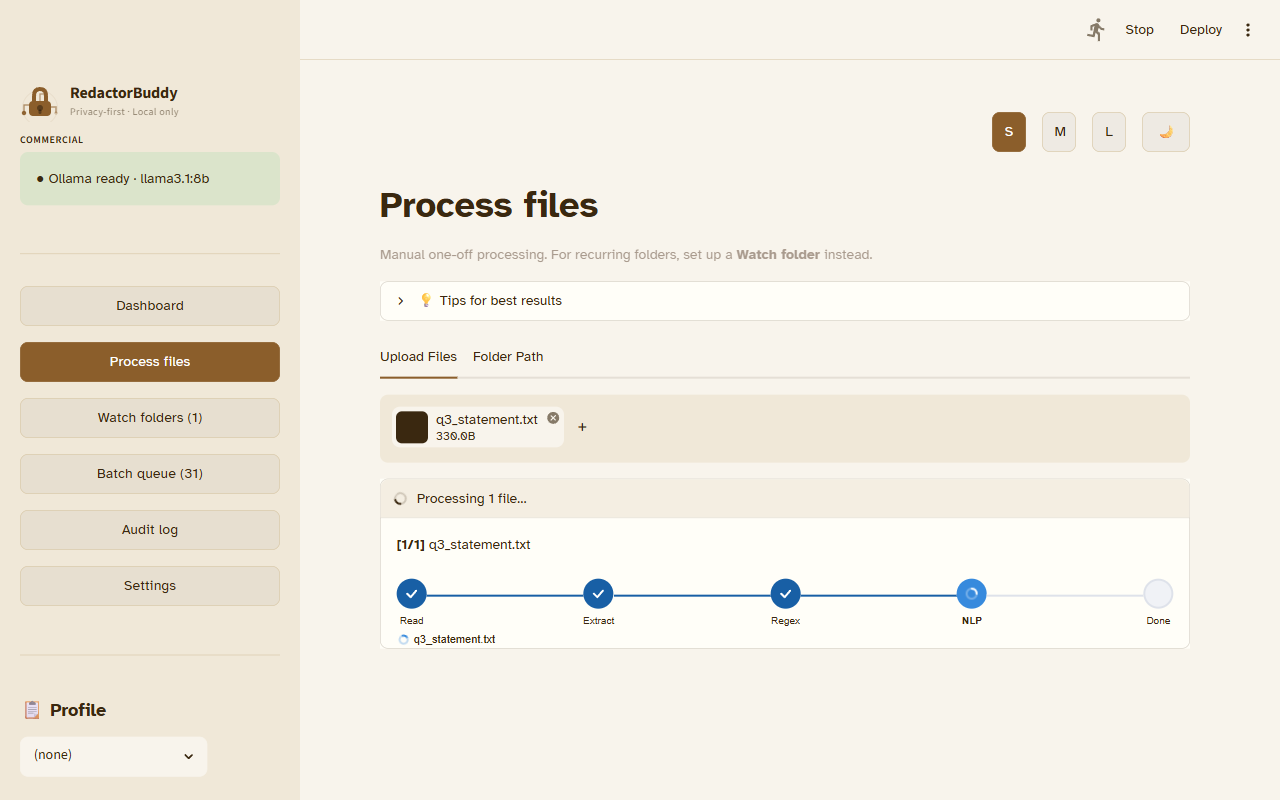
Pass 1 — Regex patterns
The fastest pass. Catches high-confidence, structurally predictable PII: card numbers, SSNs, IBANs, email addresses, US phone numbers, and similar patterns. False positive rate is very low. Results are scored HIGH or MEDIUM based on entity type.
Pass 2 — Presidio NLP
Microsoft Presidio runs a named entity recognition model over your text. It catches names, addresses, organizations, and dates — things that don't have a fixed pattern. Confidence scores from the model are used to set MEDIUM vs. LOW risk. This pass runs entirely locally; no data leaves your machine.
Pass 3 — Ollama (optional)
If you have Ollama installed and enabled in Settings, a local LLM performs a context-aware review pass. This catches entities that both regex and NLP might miss — for example, obfuscated account numbers or unusual name formats. It also reduces false positives by understanding sentence context. This pass is slower (10–60s depending on your model and hardware) and is off by default.
llama3.2:3b is a good starting point — small enough to run quickly on most laptops and capable enough for financial document PII.
Entity types reference
| Entity type | Default risk | Notes |
|---|---|---|
| Full name + account number | HIGH | Combination triggers escalation |
| Credit / debit card number | HIGH | Regex + Luhn check |
| SSN / Tax ID | HIGH | US SSN format and variants |
| IBAN / SWIFT / routing number | HIGH | International formats supported |
| Password / API key / token | HIGH | Detected via entropy analysis |
| Email address | MEDIUM | Standard RFC 5322 detection |
| Phone number | MEDIUM | US, EU, international formats |
| Full name (standalone) | MEDIUM | Depends on NLP confidence |
| Street address | MEDIUM | Partial addresses may score LOW |
| Date of birth | MEDIUM | Escalates to HIGH if paired with name |
| First name only | LOW | Very low confidence by default |
| City / country | LOW | Context-dependent |
| Financial amounts | INFO | Never redacted — math is preserved |
The fail-closed export gate
RedactorBuddy enforces a fail-closed rule: if any HIGH risk entity has not been reviewed (either approved for redaction or rejected as a false positive), the Download button is locked and the export is blocked.
This isn't a prompt or a warning — it's a hard gate. The design is intentional: it ensures you never accidentally export a document with unreviewed sensitive content, even under time pressure.